Logo博塔布 @@@九月@@@ BoTab - 一鍵將書籤轉換為新標籤頁 @@@九月@@@ BoTab 是一款智能瀏覽器擴展程序,只需點擊一下即可將您的書籤內容轉換為精美的新標籤頁和導航頁,讓您保存的珍寶可訪問,讓您的瀏覽更加高效。 @@@九月@@@ 高級版 @@@九月@@@ 登錄 @@@九月@@@ 退出 @@@九月@@@ 註冊 @@@九月@@@ 切換語言 @@@九月@@@ 每天上午 9:01 @@@九月@@@ 切換模式 @@@九月@@@ 光 @@@九月@@@ 黑暗 @@@九月@@@ 系統 @@@九月@@@ 複製 @@@九月@@@ 正在保存... @@@九月@@@ 保存 @@@九月@@@ 正在加載... @@@九月@@@ 取消 @@@九月@@@ 退出失敗 @@@九月@@@ 共有 __PH_0__ 條記錄 @@@九月@@@ 沒有結果 @@@九月@@@ 正在加載... @@@九月@@@ 專欄 @@@九月@@@ 每頁行數 @@@九月@@@ 頁面 @@@九月@@@ 第一頁 @@@九月@@@ 最後一頁 @@@九月@@@ 下一頁 @@@九月@@@ 上一頁 @@@九月@@@ 升序
  • 部落格
  • 文件
  • Discord

開始使用 BoTab

立即體驗一鍵將書籤轉換為新標籤頁,讓您的瀏覽更高效

Chrome立即下載 Chrome了解更多
支持 Chrome、Edge 和所有基於 Chromium 的瀏覽器
您的浏览器不支持视频播放。
Logo博塔布 @@@九月@@@ BoTab - 一鍵將書籤轉換為新標籤頁 @@@九月@@@ BoTab 是一款智能瀏覽器擴展程序,只需點擊一下即可將您的書籤內容轉換為精美的新標籤頁和導航頁,讓您保存的珍寶可訪問,讓您的瀏覽更加高效。 @@@九月@@@ 高級版 @@@九月@@@ 登錄 @@@九月@@@ 退出 @@@九月@@@ 註冊 @@@九月@@@ 切換語言 @@@九月@@@ 每天上午 9:01 @@@九月@@@ 切換模式 @@@九月@@@ 光 @@@九月@@@ 黑暗 @@@九月@@@ 系統 @@@九月@@@ 複製 @@@九月@@@ 正在保存... @@@九月@@@ 保存 @@@九月@@@ 正在加載... @@@九月@@@ 取消 @@@九月@@@ 退出失敗 @@@九月@@@ 共有 __PH_0__ 條記錄 @@@九月@@@ 沒有結果 @@@九月@@@ 正在加載... @@@九月@@@ 專欄 @@@九月@@@ 每頁行數 @@@九月@@@ 頁面 @@@九月@@@ 第一頁 @@@九月@@@ 最後一頁 @@@九月@@@ 下一頁 @@@九月@@@ 上一頁 @@@九月@@@ 升序

讓您的書籤更智能

TwitterX (Twitter)DiscordLinkedInEmail
產品
  • 特徵
  • 定價
  • 常問問題
資源
  • 部落格
  • 文件
  • 變更日誌
合法的
  • Cookie 政策
  • 隱私政策 @@@九月@@@ 服務條款 @@@九月@@@ 計費 @@@九月@@@ 製作人員 @@@九月@@@ 設置 @@@九月@@@ 管理員 @@@九月@@@ 用戶 @@@九月@@@ 注意:演示用的數據是偽造的,部分功能被禁用 @@@九月@@@ 獲取用戶失敗 @@@九月@@@ 搜索用戶... @@@九月@@@ 沒有找到用戶 @@@九月@@@ 專欄 @@@九月@@@ 名稱 @@@九月@@@ 電子郵件 @@@九月@@@ 角色 @@@九月@@@ 創建於 @@@九月@@@ 客戶編號 @@@九月@@@ 狀態 @@@九月@@@ 封禁原因 @@@九月@@@ 禁令到期 @@@九月@@@ 管理員 @@@九月@@@ 用戶 @@@九月@@@ 電子郵件已驗證 @@@九月@@@ 電子郵件未驗證 @@@九月@@@ 電子郵件已復製到剪貼板 @@@九月@@@ 禁止 @@@九月@@@ 活躍 @@@九月@@@ 不活躍 @@@九月@@@ 清除搜索 @@@九月@@@ 加入於
  • 服務條款
© 2021–2025 博塔布 @@@九月@@@ BoTab - 一鍵將書籤轉換為新標籤頁 @@@九月@@@ BoTab 是一款智能瀏覽器擴展程序,只需點擊一下即可將您的書籤內容轉換為精美的新標籤頁和導航頁,讓您保存的珍寶可訪問,讓您的瀏覽更加高效。 @@@九月@@@ 高級版 @@@九月@@@ 登錄 @@@九月@@@ 退出 @@@九月@@@ 註冊 @@@九月@@@ 切換語言 @@@九月@@@ 每天上午 9:01 @@@九月@@@ 切換模式 @@@九月@@@ 光 @@@九月@@@ 黑暗 @@@九月@@@ 系統 @@@九月@@@ 複製 @@@九月@@@ 正在保存... @@@九月@@@ 保存 @@@九月@@@ 正在加載... @@@九月@@@ 取消 @@@九月@@@ 退出失敗 @@@九月@@@ 共有 __PH_0__ 條記錄 @@@九月@@@ 沒有結果 @@@九月@@@ 正在加載... @@@九月@@@ 專欄 @@@九月@@@ 每頁行數 @@@九月@@@ 頁面 @@@九月@@@ 第一頁 @@@九月@@@ 最後一頁 @@@九月@@@ 下一頁 @@@九月@@@ 上一頁 @@@九月@@@ 升序 All Rights Reserved.
Back to all features

Sessions & recovery

Save whole-window sessions, restore focused groups, and recover quickly after crashes.

Key capabilities

Sessions & recovery

Sessions turn a messy window into a reusable context—save it, close it, and reopen when you’re back on that project. If you crash or close something by mistake, snapshots help you recover quickly and keep momentum.
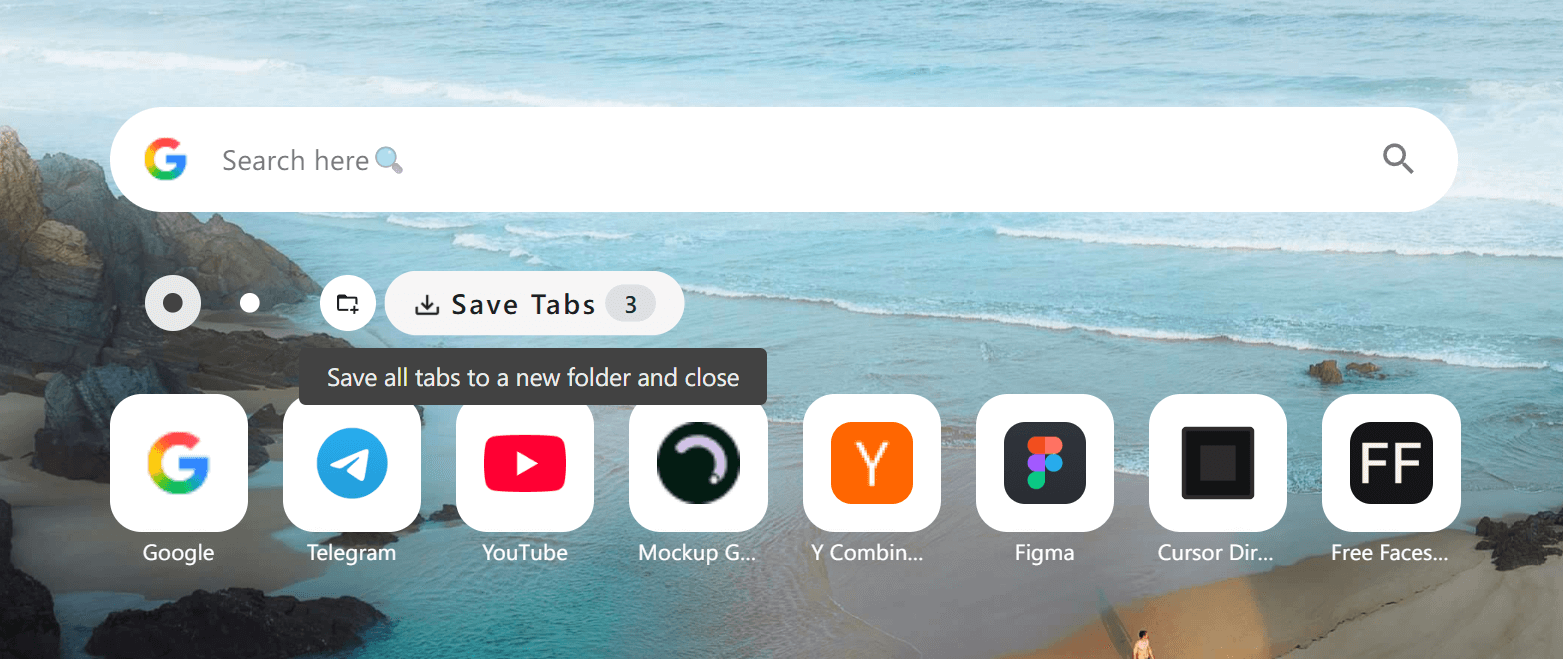
One-click session saving
01

One-click session saving

Capture the current window’s tabs into a session so you can pick up later without clutter.
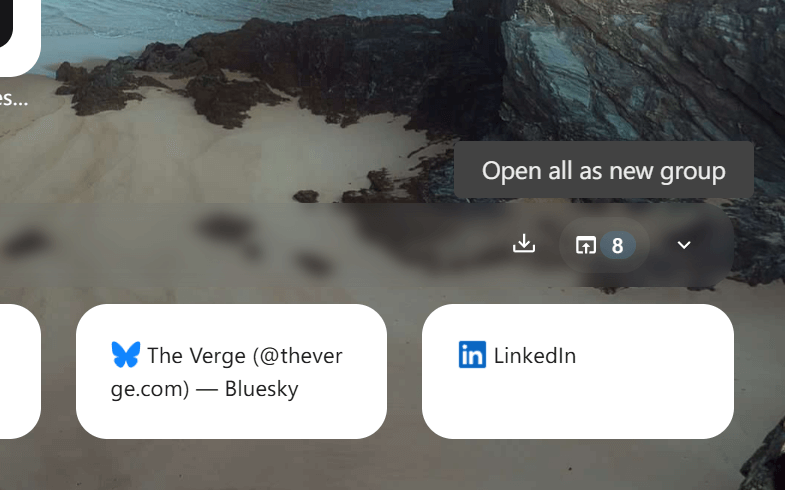
Restore all or restore selectively
02

Restore all or restore selectively

Reopen a whole session at once, or bring back just the tabs you need right now.

03

Group-style reopen

Open a saved set as a fresh group so it feels like entering a dedicated workspace.

04

Crash recovery support

Use snapshots to recover important sessions after a crash and minimize lost context.

05

Performance relief

Save tabs and close them to reduce browser RAM/CPU load while keeping access one click away.

How it works

1. Collect tabs while you work

Open sources and tools as you go—no need to curate in the moment.

2. Save the current window

Use Save Tabs to store the full set into a folder/session with a clear name.

3. Close to declutter

Optionally close saved tabs to reclaim memory while keeping the context preserved.

4. Reopen as a group

When you’re ready, open the session again as a grouped set and continue immediately.

5. Recover when needed

If a crash happens, use snapshots to get back to what was open and important.

Use cases

Project switching

Jump between “Client A” and “Client B” windows without mixing tabs or losing flow.

Deep research

Save a research bundle and reopen it later with the same set of sources ready.

Meeting prep

Prepare a set of links and reopen the full pack right before a call.

Hardware-friendly browsing

Keep your browser light by closing what you don’t need, while still retaining everything.

FAQ

No—saving preserves the set. Closing is optional if you want a cleaner browser and better performance.

Yes. Restore individually when you only need part of a session, or reopen everything at once.

Snapshots are designed to help you recover important sessions and continue with minimal disruption.

If your setup stores sessions via bookmark-backed structures, browser sync can carry them across devices.

Explore more

Navigation workspace

Multi-column boards from bookmarks, with Quick Directory and card actions.

Personalization & themes

Themes, wallpapers, and layout controls (plus optional CSS tweaks).

Privacy, backup & sync

Local-first, minimal permissions, with export/import backups.